


Smart pet feeder buyers often ask a simple question: “Will my pet still be fed if Wi-Fi or power goes out?” The correct answer depends on the model, control architecture, schedule storage, real-time clock, power configuration and failure-recovery logic.
For private-label brands and distributors, pet feeder offline mode should be written as a testable specification. Separate the meal-delivery function from remote control, video, notifications and data history. A feeder can deliver a locally stored schedule while the app shows the device offline. It can also remain connected to Wi-Fi while the internet or cloud service is unavailable.
| Failure Scenario | What May Still Work | What Usually Needs Connectivity or Power | Buyer Test |
|---|---|---|---|
| Phone has no internet | Feeder and local schedule may continue normally | Remote commands and phone notifications | Disable phone connectivity without changing the feeder network |
| Home Wi-Fi is unavailable | Locally stored schedules may continue | App control, cloud history, camera and alerts | Power off the router across several scheduled meals |
| Internet/cloud interruption | Local hardware, clock and saved schedule may continue | Server-dependent commands, history and notifications | Block external access while keeping the local network powered |
| Adapter power failure | Only functions supported by the installed backup-power configuration | Normal operation if no usable backup exists | Disconnect mains before, during and after a meal |
| Low or exhausted batteries | Possibly local display or warning for a limited period | Motor movement, network connection and scheduled meals may stop | Run the device through defined battery states |
| Power/network returns | Normal operation should resume according to approved logic | History synchronization and pending commands vary by design | Restore service at several points in the feeding cycle |
1. “Offline” Has Several Different Meanings
A useful specification divides the system into layers. The feeder motor and controller perform the physical meal. Local firmware stores settings and decides when to run. The real-time clock keeps time. The power system supplies the motor and electronics. Wi-Fi connects the device to a router, the internet connects it to external services, and the cloud connects the app to the feeder.
Meal-delivery layer
Motor, rotor, outlet and control board. This layer determines whether food is actually dispensed.
Local schedule layer
Stored meal plan, clock, settings and firmware logic. This may operate without internet if designed to do so.
Connected-service layer
Remote commands, notifications, history, camera, account and firmware services. These normally need a network path.
2. Ask Where the Feeding Schedule Is Stored
If a schedule exists only on a cloud server, the feeder may need connectivity to receive every command. If the schedule is downloaded to local memory and executed by the feeder’s clock, scheduled meals may continue while Wi-Fi is unavailable. The exact behavior is model- and firmware-specific.
Ask the supplier to demonstrate the sequence: create a schedule in the app, confirm it reaches the feeder, disconnect Wi-Fi, wait through several meal times and reconnect. Repeat after unplugging the adapter and after replacing batteries. Check whether editing or deleting a schedule while the device is offline creates a conflict when it reconnects.

For button-controlled feeders, verify how schedules are stored and whether the display, clock and program survive battery replacement. A non-WiFi product can still lose its schedule if local power retention is not designed or tested correctly.
3. Test Wi-Fi Loss Separately From Internet or Cloud Failure
Turning off the router tests one condition, but it does not reproduce every connected failure. Build separate tests for the phone, local Wi-Fi, external internet, DNS or server access and the vendor cloud. Record the feeder state, app status, meal result, notification and history after each event.
- Remove the phone’s internet connection while the feeder remains online.
- Switch off the home router before a scheduled meal.
- Keep Wi-Fi powered but block external internet access.
- Interrupt service while a remote feed command is being sent.
- Reconnect after one, several and many missed cloud check-ins.
- Test weak and unstable Wi-Fi, not only a clean disconnection.
4. Power Failure Requires Event-Based Testing
Do not test only by unplugging an idle feeder. Disconnect the adapter before a scheduled meal, while the motor is starting, during dispensing and immediately after food delivery. Restore power at the same points. Look for a missed meal, partial portion, repeated portion, stalled motor, reset schedule or incorrect event record.
Where the model includes battery backup, observe whether switchover is automatic and whether network, display, camera and motor functions remain the same. Some designs may preserve core feeding while reducing connected or high-power features. The final manual should describe any difference.

Combine these power tests with the portion accuracy and anti-jam test. Power recovery must not bypass jam protection or produce an unapproved extra portion.
5. Backup Power Is Not the Same as Full Normal Operation
A specification that says “battery backup” should state the battery type, whether batteries are included, which functions remain enabled, warning thresholds and the expected test conditions. Runtime changes with motor use, Wi-Fi signal, camera use, battery chemistry, temperature and storage age.
| Battery Question | Evidence to Request | Why It Matters |
|---|---|---|
| Which cells are approved? | Type, size, chemistry, quantity and installation diagram | Customers may install a different battery with lower usable capacity |
| Which functions remain active? | Meal, display, Wi-Fi, camera, voice and alert matrix | “Backup” can mean core feeding rather than every smart feature |
| How is low power communicated? | Display, app alert, sound and threshold test | A warning that arrives too late cannot protect the next meal |
| What happens during replacement? | Clock and schedule retention test | Removing all power may reset time or settings |
| How is reverse installation handled? | Mechanical keying and electrical protection | Incorrect installation can damage the device or create support claims |
Do not publish one runtime number without conditions. For a feeder that operates mainly from an adapter, explain that batteries are a backup configuration rather than implying an unrestricted cordless use case.
6. Verify Recovery Without a Missed or Duplicate Meal
Recovery logic is often more important than the initial failure. When power or connectivity returns, the feeder must decide whether a scheduled event was completed, interrupted or never started. A poor implementation can replay a command and dispense again.
Create a test matrix around the scheduled timestamp. Restore service just before the meal, during motor movement, immediately afterward and long afterward. Review the physical portion, local indicator, app history and notification. If the system queues remote commands, define their expiry time so an old command cannot execute unexpectedly.
- Record the planned meal ID and time.
- Interrupt one layer at a controlled point.
- Observe the motor and actual food output.
- Restore the layer without sending a new command.
- Wait through the recovery window.
- Compare the local result, app record and cloud history.
7. Test Clock, Time Zone and Daylight-Saving Changes
Offline schedules depend on the feeder’s concept of time. Test clock drift over several days, loss of all power, time-zone changes, daylight-saving transitions and a phone that travels to another zone. Define whether the schedule follows the feeder location, account setting or phone time.
After the device reconnects, verify whether it corrects time immediately and whether that correction can create a skipped or repeated meal. If a schedule is edited while the device is offline, define whether the phone version, cloud version or feeder version wins.

8. Feeding, Notifications and History Are Three Different Results
A meal can occur without an immediate phone notification. A cloud record can be delayed. An app may show a command was sent without proving that the motor completed the dispense. Buyers should define the source of truth for each message.
| Result | What It Should Mean | Failure Test |
|---|---|---|
| Command sent | The app or server accepted a request | Disconnect the feeder before sending |
| Device acknowledged | The feeder received the command | Interrupt network immediately after transmission |
| Motor completed | The controller finished its programmed movement | Interrupt power or create a controlled obstruction |
| Food delivered | A sensor, camera or other validated method confirms output | Block the food path while motor movement continues |
| History synchronized | The cloud record matches local events after reconnection | Run several offline meals, then restore connectivity |
For camera-equipped models, video can help the owner inspect the bowl, but camera availability should not determine whether a locally stored meal occurs. Test the feeding controller and connected video service independently.
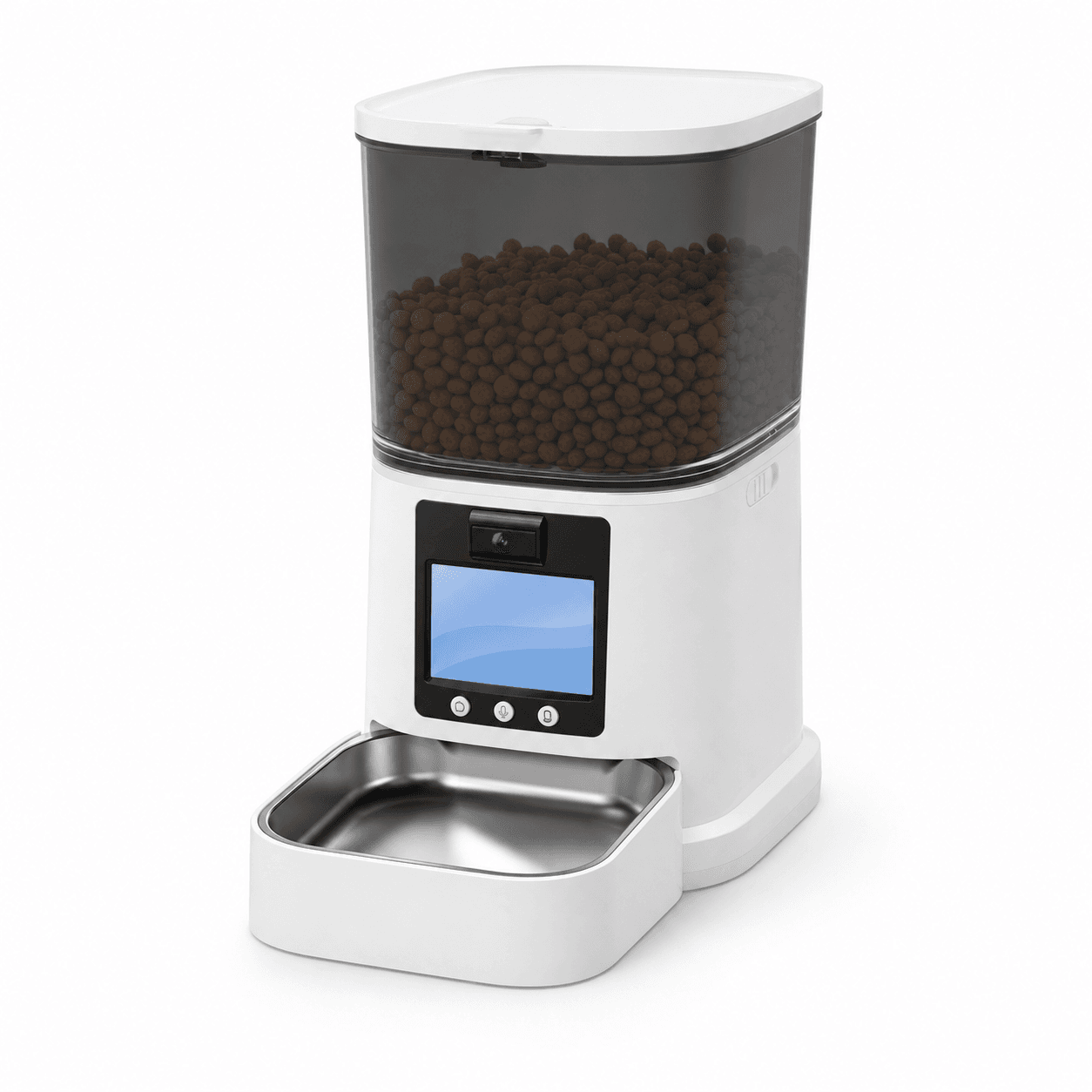
9. Haolinc Feeder Platforms and Their Priority Offline Tests
The table below uses confirmed directions shown on current product pages. It does not assume an unverified offline behavior. Final schedule storage, battery operation, firmware, app, accessories and recovery logic must be confirmed on the quoted configuration and approved sample.
| Model | Confirmed Product Direction | Priority Offline and Power Test |
|---|---|---|
| PFF015 | 4 L; button control; up to 4 meals/day; adapter plus 3 AA battery configuration | Local clock and schedule retention, adapter-to-battery transition, low-battery behavior and power recovery |
| PFF040 | Button control; up to 4 meals/day and 9 portions/meal; food-pushing dispensing structure | Local scheduling, clock drift, battery-state warnings and restart behavior without an app dependency |
| PFF014 | 8 L; independent dual dispensing; 2.4 GHz WiFi/Tuya Smart APP; adapter plus battery mode | Offline schedule execution, two-path recovery, app history reconciliation and dual-power switchover |
| PTM-20A1/20A3 | 2 L + 2 L compartments; separate food paths; button or WiFi control; 5 V/1 A | Control-mode comparison, independent path recovery and behavior when WiFi returns during a scheduled routine |
| PT03S | 5 L; 150-degree adjustable camera; APP interaction; two-way video and voice | Feeding independence from video service, camera reconnection, notification delay and privacy-aware account recovery |
| PTM-103 | 4 L; two serving bowls; button control; 5 V/1 A; detachable food-contact components | Local schedule persistence, power interruption during dispensing and repeatable bowl distribution after restart |

PFF014
Evaluate whether both dispensing paths follow the saved schedule during Wi-Fi loss, adapter failure and recovery.

PTM-20A1/20A3
Compare local and connected configurations, then test each food path through the same interruption sequence.

PTM-103
Focus on clock retention, local schedule persistence and power interruption during a two-bowl dispense.
PT03S
Separate the essential meal function from camera, voice, notification and cloud-history availability.
Browse the complete automatic pet feeder range. For platform selection, use the automatic pet feeder buying guide and the OEM and private-label guide.
10. Write Offline and Power Behavior Into the OEM Acceptance Plan
1Freeze the exact configuration
Record hardware revision, firmware, app version, schedule mode, adapter, battery type, accessories and target market. Do not accept results from a similar model as evidence.
2Define expected behavior for every event
For each network and power failure, state whether feeding, manual control, display, camera, alerts and history should continue, pause or recover.
3Run timed interruption tests
Interrupt before, during and after scheduled feeding. Use several meal settings, hopper levels and approved foods. Record actual grams as well as software status.
4Verify recovery and data reconciliation
Confirm that no meal is unintentionally repeated, no old command runs late and the final app history matches the physical result.
5Carry controls into production
Lock critical components and firmware. Define factory checks for clock retention, schedule execution, power transition, Wi-Fi connection and correct accessories.
Use the automatic pet feeder manufacturer selection guide and 12 supplier questions to connect these tests with quality control, MOQ, service parts and change notification. For private-label details, review the automatic pet feeder customization guide, Haolinc OEM/ODM service and factory and quality-control process.
Conclusion: Describe Offline Reliability Function by Function
A reliable smart feeder does not need every connected feature to remain active during every outage. It needs predictable behavior, protected schedules, appropriate backup power, safe recovery and honest communication about what is unavailable.
Before a bulk order, test Wi-Fi, internet, cloud and power failures separately. Measure the actual meal, not only the app screen. Then publish the verified behavior in the manual, product page and support flow. That gives pet owners a clearer promise and gives brands a defensible acceptance standard.
